
Custom Software Projects
CRM Development: Connect Customer Information with a Usable Sales Flow
Define CRM development through customers, opportunities, conversations and next actions, with practical decisions about data, automation, permissions and pilots.
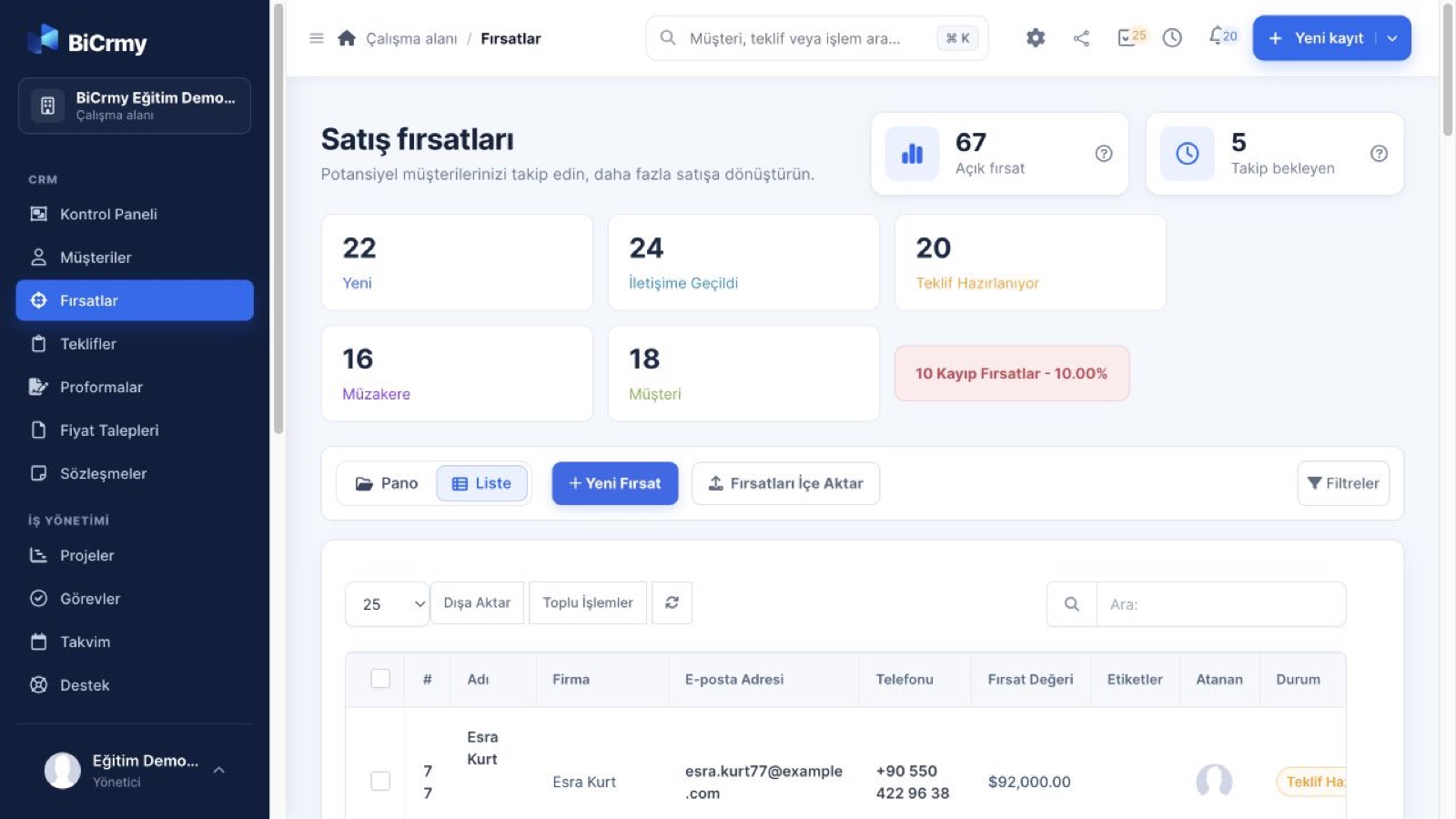
Sales staff can find a customer's name, but they still message one another to discover what was discussed and who owns the next step. The contact list is full while the workflow remains invisible. This distinction matters in CRM development. Customer relationship management connects information with an operating arrangement. Treating it only as an address book can leave the team's real follow-up problem unchanged despite a polished screen containing many completed fields.
Consider a hypothetical B2B service company receiving enquiries through forms, calls and meetings. One organisation may discuss several services through different contacts. We will examine how to distinguish the customer, opportunity and next task when designing a usable sales flow. The example is not a client result or a claim about a particular product. It helps define custom scope through actual decisions rather than assume that collecting more customer information automatically creates a manageable process.
Observe the sales team's day first
Before listing fields, follow an enquiry. Who receives it, asks questions, records information and passes the work on? Formal process and everyday practice may differ. Track an example alongside the ideal description. Where does information disappear, and who understands why work waits? These observations offer stronger scope inputs than a screen list because they reveal what people need to know in order to continue the task rather than simply what management wants to see later.
Investigate why recording feels difficult. Information may be entered in several systems, required fields may be unknown at the first conversation or finding the next task may require too many screens. More instructions to enter data will not necessarily solve these problems. The CRM needs to fit daily work. Management reporting matters, but the people maintaining records also need value. A process that helps them only indirectly can drift towards incomplete information and private notes kept outside the system.
Separate organisations, contacts and opportunities
An organisation can represent the business relationship, a contact the person involved and an opportunity a specific requirement. Models vary, but the distinction is worth discussing. Two projects held under one status can become confused when one succeeds while the other continues. Treating a person and organisation as the same object can make several contacts difficult to manage. The right relationships help the system describe the work without repeatedly copying shared information.
Our example company might discuss website replacement and custom software separately with one customer. Scope, owner and next action can differ for each opportunity. A contact may hold different responsibilities across them. Make those relationships understandable in the interface instead of expecting users to memorise the data model. Correct structure and clear use need to support each other. A technically neat database does not provide a usable process if people cannot see which task belongs to which conversation.
Define stage transitions before choosing colours
Stages such as new, discussion, proposal and closed can work when their meaning is shared. Does proposal mean preparation or actual delivery to the customer? The difference affects reports too. Reflect meaningful decisions in the team's work. Too many small stages increase maintenance; too few can hide why something waits. Use examples to find suitable detail rather than copying a pipeline whose labels appear familiar but do not match the business's own process.
Decide which information is required at each stage. A budget may be unknown on first contact while scope should be clearer before a proposal is sent. Requiring everything immediately can encourage invented answers. Allowing a consequential decision with missing information creates another problem. Connect required fields with the moment the information is needed. The system should support the right evidence for a decision, not merely prevent empty cells regardless of whether a truthful answer is available.
Keep the next action visible
Knowing the stage does not always explain today's job. Show the next task, owner and relevant review time. Waiting for a customer needs a follow-up decision beneath it. Otherwise staff return to older messages to reconstruct the situation. Connecting tasks with opportunities makes the cause of waiting easier to understand. Role-appropriate views can help different users without demanding that everyone inspect the same large list in order to identify their own responsibilities.
Distinguish notes, decisions and commitments
Free text can be useful without carrying every important fact in a long paragraph. Separate the conversation topic, promise and next action where appropriate. Delivery expectations and dates should remain visible. A colleague's interpretation should not become a customer's confirmed instruction. Write enough for another person to continue the discussion while avoiding unnecessary personal detail. The record should support continuity rather than become an unstructured store of everything someone remembers from a conversation.
Who changed information and when may matter, depending on its effect. This does not justify multiplying every minor activity without a purpose. Choose events needed for decisions or follow-up. Logging only to make an activity chart larger does not explain relationship quality. Report definitions should preserve the difference between recorded actions and actual progress. Otherwise a busy-looking timeline can conceal opportunities that remain stuck, even though the account appears full of work performed by the team.
Automate an explicit business rule
Routing an enquiry or creating a reminder can help when the rule is clear. Which information determines ownership, what happens if it is missing and who acts if nobody is available? Automation does not resolve an undefined process. It can reproduce uncertainty faster. Start with a recurring task that can be described clearly, and identify where human judgement remains. A useful rule should be understandable to the people responsible for maintaining the workflow after the original implementation team has moved on.
Consider notification volume. Sending every change to everyone can bury important signals. Define which person needs which event and what happens after a failure. Test duplicates, connection interruptions and changes in task ownership. Assess automation through exceptions as well as the ordinary path. Users should be able to understand why an action occurred. A traceable rule helps investigation and maintenance, making the system easier to change deliberately instead of relying on hidden behaviour whose purpose nobody can explain.
Plan integrations and historical data separately
Records arriving through forms, email or other systems need matching rules. Another enquiry from the same person differs from a repeated copy of one operation. Define when a record is created and when it connects to an existing relationship. Test with examples. A connector's existence does not prove that its coverage fits. Review current permissions, fields, failures and maintenance ownership so external information can join the CRM workflow without producing ambiguity the team must resolve manually every day.
Moving old spreadsheets involves more than uploading a file. Duplicates, missing organisation details and inconsistent stage names may exist. Agree the period to move and which cleaning belongs to the business. Inspect a sample migration together. An uncertain historical field should not suddenly appear as precise reporting evidence in the new system. Preserve the limitations. The accuracy expected from the CRM depends partly on how inherited information is reviewed, not only on the design of new forms.
Assess access and usability on the same record
Representatives may see their own opportunities while managers see a wider group. Consider modification, export and deletion as well as visibility. Test which conditions permit access to another team's records. Security should not rely only on hiding a menu. Review depth follows data and business risk. The business needs an understandable description of the boundaries that must remain intact while staff perform ordinary tasks within the system.
From the user's perspective, the key question is whether the next job is apparent when a record opens. Important details scattered across many tabs can weaken usability. Prototype real tasks such as reviewing an enquiry, recording a conversation and closing an opportunity. Design and data relationships should work together. Feedback may support simplification rather than another field or tab added to compensate for an unclear existing arrangement.
Do not turn reporting into pressure for more data
Pipeline, waiting stages and outcomes can inform management when definitions are explicit. What is an open opportunity, which event counts as a win and what does the displayed date represent? Colourful charts built before these decisions can invite inconsistent interpretation. Identify the business decision the report supports. Adding fields is not automatically an improvement. Connect collection with use so staff understand why information matters instead of completing it only because a dashboard otherwise looks empty.
Choose outcome categories carefully. A person who does not know why a prospect declined may select a random required reason, making a table look complete without making it accurate. Unknown or review-needed states may be appropriate. Preserving that boundary supports more credible interpretation. Reports can help reveal information and follow-up gaps rather than rank staff through one unexplained total. Reporting should remain connected to the daily process, not become a separate administrative burden layered over it.
Begin with a complete, limited flow
Organisation, contact, opportunity and next-task relationships may provide an initial foundation, but this is not the same module recommendation for every business. Select a narrow part of real work that can be completed. Advanced forecasting and extensive automation can be assessed later. When discussing a CRM within Custom Software Projects, these core decisions and acceptance examples offer a more useful scope foundation than screen count alone. The first release needs a coherent job rather than a collection of disconnected forms.
In our example, the team can create an enquiry, connect it to the right people, record a decision and see the next task. Observe missing information and screens creating repeated work, then choose development from those findings. Evaluate the CRM through whether staff can follow the process more clearly, not only the number of populated records. Customer information becomes a usable sales arrangement when it connects with decisions and responsibility.
Frequently asked questions
Should development begin with customer fields?
Understand the workflow and user tasks first. Choose fields according to the information those tasks need. A long customer form may not resolve follow-up problems. Defining the relationship between customer, opportunity, conversation and next action makes it clearer which field matters and when. This also reduces the temptation to collect information merely because another product includes a similar-looking section.
Does every sales action need a separate stage?
Stages should represent meaningful states and decisions. Too many increase recording work, while too few hide causes of waiting. Use actual examples to define transitions. Everyone should understand whether proposal means preparation or sending. Choose detail according to the process and reporting need instead of treating a familiar pipeline diagram as a universal model that requires every business to behave identically.
Can old spreadsheets move into a new CRM?
Assess mapping, duplicates, missing information and the period to migrate. Review a sample result. Opening the file does not guarantee that the new model interprets it correctly. Define the business's cleaning and verification responsibilities too. Migration becomes more reliable when data decisions are part of scope, rather than assumed to occur automatically because the new application can accept an upload.
Do automatic notifications improve follow-up?
They can help with a clear rule and suitable recipient. Sending everything to everyone can obscure important work. Define the decision or action each notification supports and test missing data, changed ownership and failures. Automation applies behaviour; it does not establish that the rule itself is right. Design the rule around a real workflow and make its reason understandable to users and maintainers.
Could an existing product replace a custom CRM?
Compare relevant options through process, data, permissions, integration and maintenance. Some requirements fit configuration while others may justify development. Use actual scenarios and sustainable operating arrangements. The useful choice is the one whose fit and responsibilities can be explained, rather than a category selected because it sounds either simpler or more flexible in the abstract.